As an Amazon Associate, we earn from qualifying purchases. Some links on this site are affiliate links at no extra cost to you. Our recommendations are based on thorough research and editorial judgment.


Phone Drying Methods: Water Damage Prevention and Recovery

Water damage to smartphones is common, stemming from spills, rain, or submersion. To mitigate damage, power off the device immediately and remove accessories, allow airflow, and dry it in a well-ventilated area or with silica gel. Avoid rice, hair dryers, or shaking the device, as these methods can worsen damage. Regular backups and moisture checks are important. Consider waterproof cases and services like TekDry for prevention and recovery. More tips on protecting your device can be beneficial.
Key Takeaways
- Immediately power off the device and remove accessories to prevent short circuits and enhance airflow for drying.
- Avoid using rice, hair dryers, or compressed air, which can exacerbate water damage and internal issues.
- Place the phone in a well-ventilated area or a container with silica gel packets to promote effective drying.
- Monitor for signs of moisture buildup, component malfunction, or color changes in the Liquid Damage Indicator after exposure.
- Utilize waterproof cases and consider professional services like TekDry to prevent future water damage incidents.
Understanding Water Damage and Its Effects
You may be interested


Water damage poses considerable risks to smartphones, especially when users underestimate its consequences. Exposure to water, whether from spills, rain, or submersion, can lead to serious liquid damage if not addressed quickly. The type of liquid greatly influences the severity of the damage—saltwater and sugary drinks can corrode components faster than plain water. Signs of moisture intrusion include visible water behind the screen, corrosion at charging ports, and the activation of the Liquid Damage Indicator (LDI), turning red upon exposure. Prompt action is essential; users should power off their devices and remove external components immediately. Allowing the phone to dry naturally for 24 to 48 hours proves critical for recovery, outpacing inefficient methods like using rice. For optimal protection, consider using phone cases with high waterproof ratings to minimize water-related damage and ensure device safety.
Common Causes of Water Damage to Phones

Accidental exposure to water remains one of the leading causes of smartphone damage today. Common causes include spills from beverages, especially coffee, which often occur when phones are left unattended on counters or tables. Accidental falls into toilets, sinks, or pools frequently happen in everyday life, catching owners off guard. Additionally, unforeseen rain or moisture can infiltrate through unsealed ports, causing essential internal damage. Negligence, such as storing phones in humid environments, like bathrooms and kitchens, greatly increases the risk of water exposure. In addition, overlooking items in pockets before swimming or showering often leads to submerged devices. Awareness of these factors is vital for preventing costly repairs or replacements, ensuring that smartphones remain functional and safe. Using waterproof phone cases designed for swimming and aquatic activities can significantly reduce the risk of water damage to smartphones.
Immediate Actions to Take After Water Exposure

Once a phone has had the misfortune of encountering water, immediate actions can greatly impact the extent of the damage. First, promptly power off the wet phone to avoid potential short circuits. Next, remove any protective cases, SIM cards, and memory cards to improve airflow for drying. Gently wipe the exterior with a soft, lint-free cloth to eliminate surface moisture, but avoid pushing water deeper inside. For effective moisture absorption, place the phone in a dry, well-ventilated area or in a sealed container with silica gel packets—these are far superior to rice. It is also helpful to test the device in a waterproof phone case before using it in wet conditions to prevent future water damage. Finally, exercise patience and wait at least 24 to 48 hours before trying to power on or charge the device, ensuring it is completely dry.
Misconceptions About Drying Methods for Phones

Many common beliefs about drying methods for wet phones are misleading and can lead to further damage. For instance, rice is often thought to be an effective drying agent, yet studies show it only removes about 13% of moisture after 48 hours. Additionally, Apple explicitly advises against rice, citing the risk of dust and starch harming internal components. Similarly, using compressed air may push liquid deeper into the device, worsening damage. Some also mistakenly believe that heat from a hair dryer speeds up drying, when it often warps parts instead. Instead, sealing a wet phone with silica gel packets is recommended, as they absorb moisture much more effectively than rice. Moreover, adjustable nozzles enhance efficiency in various tasks, and understanding the mechanics of these tools can be beneficial in preventing water damage. Focus on proven methods for better recovery.
Recommended Drying Techniques for Water-Damaged Devices
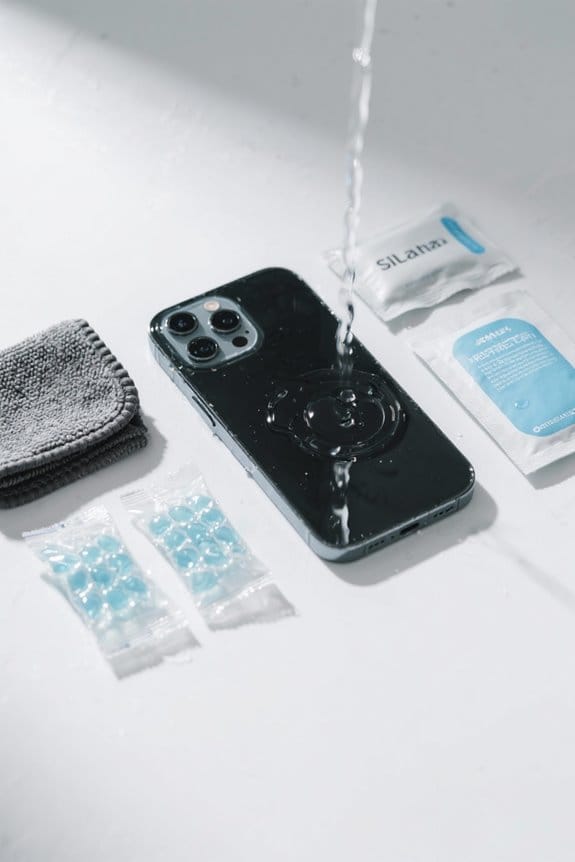
A water-damaged phone requires immediate and proper care to reduce the risk of permanent damage. Placing the device in a dry, well-ventilated area promotes natural drying while avoiding heat sources that can exacerbate issues. For enhanced water damage recovery, using a sealed container with silica gel packets is highly effective, as they absorb moisture more efficiently than rice. Gently tapping the phone, connection port facing down, can help drain any remaining water without causing further harm. It’s vital to allow at least 24 to 48 hours for drying before attempting to power on the device, preventing potential short circuits. Finally, cautious use of compressed air can assist in removing excess moisture, but care must be taken not to push water deeper into the device. For future protection against water damage, consider using dry bags with IP68 certification as they provide maximum protection against water exposure.
Recommended Products
![Dry & Dry 500 Gram [120 Packet] Premium Pure & Safe Silica Gel Packets, Desiccant Packs, Silica Gel - Rechargeable Fabric Silica Packets, Silica Gel Packs](https://m.media-amazon.com/images/I/414QbDOCdVL._SL500_.jpg)
[High Quality] White silica gel beads only; These packets do not contain indicating beads and will not change color when they are saturated; 500 gram desiccant packets can cover approximately 32 cubic feet volume containers; We recommend placing more packets than recommended for extra protection; (Packet dimension: 5 inch x 9 inch)

【High Quality Packaging Material & Ultrasonic Seal】: Silica Gel Packs utilize high-quality packaging material with excellent breathability, dust-free properties, and no binders or solvents. The Ultrasonic Seal, known for its superior strength, is the optimal sealing method for precise cutting and positioning. The packaging is uncoated and employs water-based ink that does not run off.
![Dry & Dry 8 Gallon Premium Mixed Silica Gel with Blue Indicating Beads(Industry Standard 3-5 mm) - Reusable Silica Gel Silica Beads[Net 56-60 LBS]](https://m.media-amazon.com/images/I/51VNNEesAzL._SL500_.jpg)
Silica Gel Beads Size: 3-5 mm; These are not the fine powder type for drying flowers; Do not use them for drying flowers; You can place the beads inside organza bags, muslin bags, or any other breathable bags; Replacement desiccant for air dryers, 3D Printer Filament, and compressors.
Importance of Silica Gel Packets for Drying
Silica gel packets play an essential role in effectively drying water-damaged phones. These small packets are highly moisture-absorbent, capable of eliminating over 40% humidity, greatly outperforming rice, which only removes about 13%. When a water-damaged device is sealed within an airtight container with silica gel, corrosion and internal damage are considerably reduced. The quick absorption of moisture by silica gel is imperative; it should be left undisturbed for 24 to 48 hours to maximize its effectiveness. Additionally, silica gel can be reused by reactivating them in an oven, making them a sustainable choice. Unlike rice, they don’t leave behind dust that can harm electronic components, ensuring a cleaner drying process for valuable devices. Moreover, silica gel packets can be an effective anti-scratch technology solution, protecting devices from further damage during the drying process.
Recommended Products
![Dry & Dry 0.5(Half) Gram [20000 Packets] Silica Gel Packets Desiccants Silica Gel Packs - Rechargeable Moisture Absorbers for Food Storage, Electronics, 3D Filament & Safes](https://m.media-amazon.com/images/I/317r9hRxCXL._SL500_.jpg)
[Packet Specification] (Packet dimension: 0.75 inch x 1.38 inch); 0.5 gram desiccant packets can cover approximately 60 cubic inch volume containers; We recommend placing more packets than recommended for extra protection
![Dry & Dry 30 Gram [600 Packet] Silica Gel Packets Desiccants, Silica Gel Packs - Rechargeable Silica Packets, Silica Gel, Desiccant Packs for Food Storage](https://m.media-amazon.com/images/I/415uOycZmjL._SL500_.jpg)
How to Safely Remove Water From the Charging Port
Addressing water intrusion in a phone’s charging port requires immediate action to prevent further damage. First, power off the device to mitigate the risks of electric short circuits. Next, gently dab the exterior of the charging port with a soft, lint-free cloth, absorbing excess moisture without pushing it deeper. Carefully use compressed air to blow out remaining fluid, ensuring no moisture is forced further inside. Afterward, allow the phone to air dry in a well-ventilated area, positioning the charging port downward for ideal drainage and moisture evaporation. Importantly, avoid heat sources like hair dryers, as they can cause irreversible internal damage. Timely and prudent actions help reduce potential water damage and prolong device lifespan. When selecting a waterproof solar power bank, it is important to consider the IP ratings for water resistance to ensure reliable performance in various conditions.
Recommended Products

High Efficiency. When paired with the generator, the 400W portable solar panel achieves optimal efficiency no matter when it rains or shines. Where solar panels are concerned, its conversion rate of 22.4%. With a single 400W panel, the large power bank gets a full recharge in 11 hours and with the 3x400W ones, it gets a full recharge in 3.5 hours.
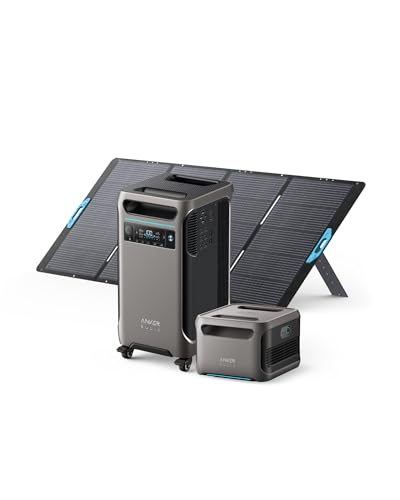
Englarged Capacity, From 3.84kWh: Anker SOLIX F3800 has 3.84kWh to power your family's needs for one day. If that's not enough, add up to 6 battery packs to expand capacity to 26.9kWh. For extreme situations, add another Anker SOLIX F3800 and 12 battery packs for enough power for two weeks.

💡【Edge-Lit Innovation Full Mirror Premium Glow】Unlike central-strip designs that reduce usable mirror area, our outer-edge sandblasted frosted LED strip maximizes mirror space for clear, unobstructed grooming. More decorative than lamp-shaded styles, it maintains elegant aesthetics when lit or off. To address the common dimness issue in sandblasted strips, we widened it to 1 inch—delivering both premium aesthetics and bright, cozy bathroom lighting in one.
Clearing Water From Phone Speakers Effectively
How can one effectively clear water from phone speakers after an unfortunate spill? First, turn off the phone to prevent further water damage. Gently clean around the speaker areas with a cotton swab, ensuring not to push moisture deeper into the device. Next, position the phone upright to facilitate water drainage from the speakers and other ports. It is essential to avoid vigorous shaking or tapping, which may damage internal components. After cleaning, place the device in a well-ventilated area for 24 to 48 hours. This allows any cleared water to evaporate completely. If sound issues persist, it may be necessary to seek professional assistance to protect the phone speakers’ audio performance and mitigate potential long-term water damage. Consider switching to eco-friendly alternatives like compostable phone cases to help reduce plastic waste and promote sustainability.
Recommended Products

DUAL 15 INCH VENTED SUBWOOFER ENCLOSURE: The Bbox 15 inch dual vented Pro Audio Tuned subwoofer box enclosure is designed for optimum bass response and low frequency reproduction which is ideal for lower profile sound quality subwoofers. Get the most out of your vehicle's subwoofer with car stuff designed for power and quality.
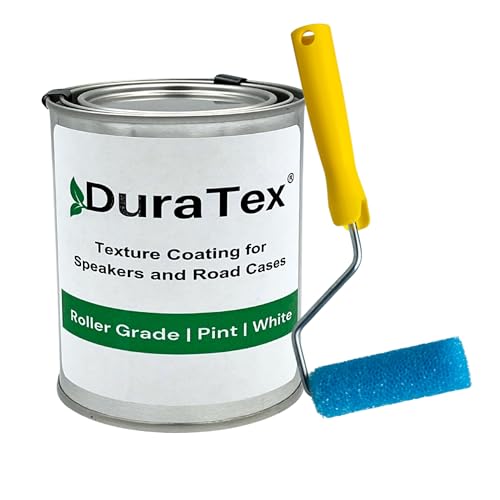
✅ No special primers are needed. DuraTex texture coating adheres directly to speaker cabinets, road cases, and metal surfaces for a smooth, durable finish.

✅ No special primers are needed. DuraTex texture coating adheres directly to speaker cabinets, road cases, and metal surfaces for a smooth, durable finish.
Signs Indicating Potential Water Damage
After ensuring the phone is clear of excess moisture, recognizing the signs of potential water damage becomes important. Users should carefully inspect for water presence or evaporation marks behind the screen, indicating moisture penetration. Additionally, visible corrosion marks at the charging and headphone ports can signify prolonged water exposure. The Liquid Damage Indicator (LDI) is another vital check; if it has turned red or maroon, that indicates significant water exposure. Users should also monitor their device for unusual behavior, such as screen flickering, failure to charge, or malfunctioning features like the camera or speakers. Delayed symptoms, such as connectivity issues, may manifest over several days, so ongoing vigilance is essential in detecting water damage. It is also beneficial to use a screen protector with durability to prevent further damage, as high-quality protectors can yield better long-term results.
Risks Associated With DIY Drying Remedies
Many users mistakenly turn to DIY drying remedies when their phones suffer water exposure, unaware of the associated risks. Common DIY methods, like placing a phone in rice, only remove about 13% of liquid after 48 hours, while introducing dust and starch contamination. Using compressed air can push water deeper, exacerbating liquid damage. Heat from hairdryers may warp internal components, leading to lasting damage. Moreover, attempting to plug in a water-damaged phone can cause a short circuit, resulting in severe electrical complications. Even shaking or tapping the device can misalign internal parts, worsening the situation rather than aiding recovery. Adjustable viewing angles in car mounts can enhance hands-free navigation, promoting safer driving experiences. Ultimately, while DIY methods may seem tempting, they can lead to greater risks and costs in device repairs.
Long-Term Monitoring for Water Damage Symptoms
Monitoring for water damage symptoms is critical for preserving a phone’s long-term functionality. After exposure to water, users should check for signs like distorted audio, malfunctioning buttons, and unexpected shutdowns, which may indicate internal corrosion or residue. Keeping an eye on the Liquid Damage Indicator (LDI) is essential; it changes color upon water exposure, signaling potential damage. Additionally, moisture buildup under the screen or in the charging port necessitates vigilance. If a phone displays unusual heat or battery swelling in the days following an incident, immediate professional assistance is warranted. Regular data backups are advisable, too, as some issues may surface later, complicating recovery efforts. This proactive monitoring can ultimately safeguard a phone’s performance.
Identifying IP Ratings and Their Importance
Understanding the importance of IP ratings is essential for anyone using electronic devices, particularly smartphones. IP ratings, or Ingress Protection ratings, classify how well devices resist dust and water damage. Each rating consists of two digits; the first (0-6) indicates dust protection, while the second (0-8) measures water resistance. For instance, an IP68 rating means the device is dust-tight and can handle more than one meter of water immersion. In contrast, IP67 allows only temporary immersion. Devices rated IP66 are suitable for outdoor settings, resisting powerful water jets but not submersion. Knowing these ratings aids consumers in selecting devices suited to their typical environments, ultimately maximizing protection and prolonging device lifespan.
TekDry Service as a Solution for Water-Damaged Devices
In today’s digital age, water damage poses a significant threat to electronic devices, particularly smartphones. The TekDry service offers a rapid and risk-free solution for liquid damage. This innovative technology effectively removes 100% of liquid from devices in just 20 minutes, a remarkable improvement over traditional methods, such as rice and air drying, which only eliminate 13% and 15% of moisture respectively after 48 hours. TekDry services guarantee data preservation by avoiding device disassembly and operate at a safe, low temperature without harsh chemicals. Pricing is accessible, with fees based on device size: $29.99 for small, $49.99 for medium, and $99.99 for large devices. With TekDry, users gain a dependable preventive measure against water damage.
Recommended Products

This device is locked to AT&T only and not compatible with any other carrier.

NSF CERTIFIED, ALL-IN-ONE – Integrated ultrasonic water mete and motorized shutoff valve for potable-water applications; choose 1/2", 3/4", 1", 1-3/4", 1-1/2", or 2".

WATER DETECTOR SHUTOFF: Designed for use with electric water heaters, the Watts FloodSafe Lead-Free Water Detector Shutoff protects the home or business owner from catastrophic damage due to a water heater leak by detecting the presence of water on the floor (or in a drain pan) beneath the water heater, automatically shutting off the water supply and power source to the water heater.
Preparing for Future Accidents: Prevention Tips
While accidents with water can happen unexpectedly, taking proactive steps can greatly reduce the risk of damage to smartphones. Investing in a waterproof phone case is essential, as it provides vital protection during moments of accidental exposure. Additionally, keeping synthetic desiccant packets, like silica gel, stored in an airtight container guarantees they are ready for use in emergencies, effectively absorbing moisture. Regularly backing up your data is another important practice; making certain important information is secure before facing possible incidents is wise. Furthermore, understanding the IP ratings of your devices can inform you about their water resistance capabilities, further aiding in prevention efforts. By implementing these measures, users can noticeably mitigate the risks associated with water damage.
Understanding Manufacturer Warranties and Insurance Options
When it comes to smartphone protection, knowledge of manufacturer warranties and insurance options is essential for users. Manufacturer warranties typically exclude coverage for liquid damage. This often stems from the presence of liquid damage indicators (LDI) inside devices; exposure to moisture activates these indicators, usually turning red or maroon. Once triggered, these LDIs can void warranty claims. However, smartphone insurance policies frequently address water damage. Users should carefully examine specific terms to understand coverage limits. If a claim is approved, it can conveniently be initiated through the insurer’s website, such as asurion.com. Additionally, professional repair services, like those offered by uBreakiFix®, provide policyholders with affordable repair options, facilitating the restoration of water-damaged devices.
Frequently Asked Questions
What Is the Best Way to Dry Your Phone if It Gets Wet?
When facing sudden rain, one finds shelter; similarly, in emergency phone care, employing effective phone drying techniques like silica gel and natural airflow aids recovery. Timely action is paramount in mitigating water damage.
How to Recover a Phone if Water Damage?
To recover a phone from water damage, check for water damage indicators, employ DIY drying techniques like silica gel, and if problems persist, explore professional repair options for effective recovery and restoration.
How to Prevent Water Damage on a Phone?
In a time when knights guarded precious scrolls, modern device protection mandates investing in a sturdy phone case. Additionally, keeping distance from water sources and using moisture indicators can effectively safeguard against potential damage.
What Else Besides Rice Dries a Phone?
Effective moisture absorbers, such as silica gel packets, serve as superior phone drying alternatives to rice. Additionally, placing the phone in a well-ventilated area or using cautious compressed air are quick drying techniques for moisture removal.