As an Amazon Associate, we earn from qualifying purchases. Some links on this site are affiliate links at no extra cost to you. Our recommendations are based on thorough research and editorial judgment.


Screen Cleaning Techniques: Avoiding Damage While Removing Smudges

To clean screens without damage, always power off and unplug the device first. Use a soft microfiber cloth; never abrasive materials or paper towels. Lightly dampen the cloth with distilled water or a vinegar solution, and then wipe in circular motions, applying minimal pressure. Avoid direct application of cleaning solutions to screens, as they can weaken protective coatings. Regular maintenance maintains clarity and durability. Continue to explore safe product choices and advanced cleaning techniques for best care.
Key Takeaways
- Power off and unplug the device before cleaning to prevent electrical accidents and ensure safety.
- Use a soft microfiber cloth and avoid abrasive materials to prevent scratches on the screen.
- Clean screens with a damp cloth using distilled water or a gentle cleaner, never applying liquids directly to the screen.
- Refrain from using ammonia or alcohol-based cleaners to avoid damaging protective coatings.
- Gentle circular motions and minimal pressure during cleaning help maintain screen integrity and prevent pixel damage.
Quick Tips for Safe Screen Cleaning
You may be interested
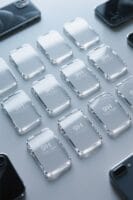


When it comes to safe screen cleaning, following a few essential tips can make a significant difference. To begin with, verify the device is powered off and unplugged. This prevents electrical accidents and enhances visibility when cleaning. Use a soft microfiber cloth for cleaning, as it won’t scratch the screen’s surface or damage the coating. If stubborn stains are present, dampen the cloth slightly with distilled water or a 50/50 vinegar solution, never applying liquid directly to the screen. Gently wipe the screen in circular motions, avoiding excessive pressure. Steer clear of ammonia-based cleaners, paper towels, or abrasive materials that can harm the screen’s finish. By following these guidelines, individuals can effectively clean their screens while minimizing the risk of damage. Some phone ring holders offer 360-degree rotation and 180-degree folding, enhancing usability during screen cleaning by enabling optimal positioning of the device.
Essential Cleaning Tools

Proper screen cleaning requires the right tools, which greatly enhance the effectiveness of the process. A high-quality, finely woven microfiber cloth is essential; this soft microfiber minimizes the risk of scratches on delicate screens. Avoid using household cleaning products, as they can damage anti-glare coatings. Instead, use a screen cleaner specifically designed for electronics. For tough stains, dampen the microfiber cloth with distilled water, or a 50/50 mixture of distilled water and vinegar—apply this to the cloth, not directly on the screen. Regularly washing and replacing these cloths is also critical for maintaining their cleaning ability without transferring dirt. By using these tools, users can effectively clean their monitor screen while avoiding damage and ensuring gentle cleaning. Additionally, choosing a biodegradable, non-toxic screen cleaner ensures safety for families and contributes positively to environmental sustainability.
Preparation Steps Before Cleaning

To guarantee an effective screen cleaning process, it is essential to prepare appropriately. First, always turn off and unplug the device to prevent electrical hazards and improve visibility of smudges. Next, gather necessary supplies such as a clean, lint-free microfiber cloth, distilled water, or a gentle cleaning solution. These facilitate an efficient cleaning experience. Ascertain the cleaning area is free from dust and distractions, as debris can cause scratches. It’s wise to verify the manufacturer’s guidelines for specific cleaning instructions, as different screens may require unique care to avoid damaging their finishes. Finally, check that the microfiber cloth is pristine and devoid of any particles that could inadvertently scratch the screen during the cleaning process. For those using adjustable phone stands, anti-slip pads on the stand can help stabilize the device and prevent it from moving while cleaning.
Understanding Screen Coatings

Understanding screen coatings is essential for maintaining the longevity and performance of electronic devices. These coatings enhance durability, contribute to visual clarity, and incorporate anti-glare features that minimize reflections. Screens possess a protective layer that can be compromised by harsh chemicals, so it is imperative to avoid ammonia and alcohol-based cleaners during maintenance. Additionally, factory-applied coatings on various screens, like LCD and OLED, may wear over time, which emphasizes the need for gentle cleaning techniques. Each specialized surface has unique care requirements, making it important for users to understand the specific composition of their screen coatings. Knowledge in this area aids in selecting appropriate cleaning methods, thereby preserving both the performance and appearance of devices. For example, selecting accessories with RFID blocking technology can also provide an added layer of protection to your electronic devices, safeguarding personal information from unauthorized scans.
Proper Cleaning Techniques

Cleaning a screen requires a careful approach to preserve its integrity and functionality. Before cleaning, always power off and unplug the monitor. Use a soft microfiber cloth to avoid scratches and lint buildup. When smudges appear, lightly dampen the cloth with distilled water or a vinegar-water solution. Make sure that liquid never comes directly into contact with the screen. Employ gentle, circular motions to effectively remove dust and stains without damaging the screen’s coatings. It’s essential to avoid using household cleaning products, particularly those containing alcohol or ammonia, as these can harm the anti-glare coatings. For stubborn particles, a soft-bristled brush may be employed. After cleaning, allow the screen to dry before turning the monitor back on. For those using non-contact designs, such as modern phone thermometers, it’s important to follow the manufacturer’s guidelines to ensure the longevity and accuracy of the device.
Cleaning Methods for Different Screen Types
Different types of screens require specific cleaning methods to maintain their performance and longevity. For IPS monitors, users should utilize a dry microfiber cloth, optionally slightly dampened, to effectively remove dust and smudges. VA monitors can be cleaned with a dry cloth, while a mixture of distilled water and vinegar is suitable for significant marks. Touch screens necessitate daily care; a gentle soft wipe with a microfiber cloth is ideal, using a damp cloth for stubborn spots—but avoid excessive pressure to protect touch sensors. When addressing flat-screen or LCD displays, moisture should be applied sparingly. Always avoid cleaning products, particularly those containing alcohol or ammonia, as they can jeopardize screen coatings. For persistent issues, it’s wise to consult a professional. For touch screen devices, edge-to-edge screen protectors can help minimize damage risks while maintaining screen clarity and sensitivity.
Preventative Measures for Dust Accumulation
A few simple preventative measures can greatly reduce dust accumulation on screens. Users can start by placing a microfiber cloth on the keyboard before closing a laptop, which effectively blocks dust from settling on monitor screens during inactivity. Storing laptops and monitors in sealed bags helps prevent dust exposure and internal buildup. Additionally, employing dust covers for desktop monitors when they are not in use can shield them from airborne particles. Maintaining a clean and tidy workspace area contributes considerably to reducing dust accumulation, as clutter attracts dust. Regularly inspecting and cleaning around the monitor ensures that dust sources are identified and removed before they reach the screen. Utilizing cleaning wipes designed for electronics can assist in maintaining these efforts. Investing in high-quality tools, such as stainless steel construction, ensures durability and effectiveness in maintaining electronic devices.
What to Avoid While Cleaning
Proper screen cleaning is essential, yet some common mistakes can lead to significant damage. Users should avoid using household cleaning products, such as window cleaners, because these can harm the screen’s protective coatings. It’s also crucial to avoid using paper towels; they may scratch the screen surface. Never spray liquids directly onto the screen; instead, apply cleaning solution to a microfiber cloth for safe cleaning. Refrain from using alcohol-based products excessively, which could degrade the screen’s finish. Additionally, do not apply excessive pressure when cleaning, as this can exacerbate wear. A gentle soft wipe is recommended. For peak care, clean the screen once every one to two weeks to maintain its clarity and functionality. Consider using non-woven fabrics for screen cleaning as they resist tearing and help maintain saturation with cleaning solutions, ensuring effective and safe cleaning.
Dealing With Stubborn Stains
How does one effectively tackle stubborn stains on electronic screens? Start by lightly dampening a microfiber cloth with distilled water or a gentle cleaning solution. A 50/50 mixture of distilled water and white vinegar can be beneficial for particularly tough smudges. Remember to apply the cleaning solution to the cloth, avoiding direct application onto the screen to prevent damage. For persistent stains, use the cloth in a circular motion, applying minimal pressure to safely break down grime. If stubborn marks remain, repeat the cleaning process with a clean section of the cloth. This method helps lift stubborn stains without scratching or damaging the delicate screen, ensuring prolonged usability and clarity of the display for users everywhere. Smart power distribution technology in modern charging stations, like those from Anker, ensures efficient energy use while preventing overheating during charging sessions.
Maintenance Tips to Enhance Longevity
Maintaining the longevity of electronic screens involves more than just effective cleaning techniques for stubborn stains. Regularly cleaning your screen every one to two weeks helps maintain ideal clarity and reduces accumulation of dust and smudges. Utilizing a microfiber cloth to gently wipe the surface enhances cleaning effectiveness, as it traps dirt without risking scratches. To further maintain cleanliness, placing a microfiber cloth on the laptop keyboard before closing acts as a protective barrier against marks. Additionally, keeping the workspace tidy minimizes dust exposure. Employing dust covers for desktop monitors when not in use can greatly protect screens from dust accumulation and potential scratches, ultimately extending their lifespan and performance quality. Consider using a 9H tempered glass screen protector to provide an additional layer of protection against scratches and impact damage.
User-Recommended Cleaning Solutions
Choosing the right cleaning solution for electronic screens is essential for preserving clarity and functionality. Many users recommend distilled water as a safe option to prevent damage to protective coatings. A popular concoction is a 50/50 mixture of distilled water and white vinegar, effective for stubborn smudges. Specialized eyeglass cleaners designed for screens are also frequently suggested, ensuring a gentler approach. It is vital to avoid ammonia-based solutions, as these can deteriorate protective coatings over time. Users advise applying the cleaning solution to a microfiber cloth rather than directly to the screen to prevent excess moisture intrusion, which can harm electronic devices. Always remember to gently wipe the screen in circular motions for the best results.
Common Mistakes to Avoid
Cleaning an electronic screen can be straightforward, yet many people unwittingly commit common mistakes that lead to damage. A common error is using paper towels or abrasive materials, which can scratch the surface. Instead, always use a soft wipe designed for screens. Moreover, avoid applying cleaning solutions directly; always dampen your cloth first to prevent excess liquid from seeping into the device. Household cleaners containing ammonia or alcohol should also be avoided, as they can weaken protective coatings. In addition, never apply excessive pressure while cleaning, as this can damage pixels or cause screen burn. Finally, verify the monitor is powered off and unplugged before cleaning, minimizing the risk of electrical shock. Employing these tips will keep your screen safe and clean.
Frequently Asked Questions
How to Clean Screens Without Damaging Them?
Carefully employing microfiber cloths and a distilled water-vinegar solution, one might think cleaning screens is simple. However, using harsh commercial cleaners can damage protective coatings, making gentle motions essential for preserving electronic devices and their materials.
How to Clean Smudged TV Screen Without Streaks?
To clean a smudged TV screen without streaks, use a microfiber cloth dampened with distilled water. Employ gentle pressure and circular motions, ensuring proper lighting, while avoiding harsh cleaners and instead utilizing lint-free materials for effective techniques.
How to Avoid Smudges on Screen?
To avoid smudges on screens, one should practice preventive maintenance by regularly wiping with microfiber cloths, using screen protectors, ensuring ideal lighting, preventing dust accumulation, and maintaining proper storage and cleaning frequency.
How to Remove Smudges From Screen?
Ironically, smudges thrive on screens. To remove them, utilize microfiber cloths with distilled water or a vinegar solution. Employ gentle pressure and maintain a cleaning frequency, protecting electronic devices from isopropyl alcohol and abrasives.