As an Amazon Associate, we earn from qualifying purchases. Some links on this site are affiliate links at no extra cost to you. Our recommendations are based on thorough research and editorial judgment.


Stylus Pen Technology: Capacitive Vs Active Stylus Performance

Stylus pen technology divides into capacitive and active categories. Capacitive styluses mimic finger touch without batteries, offering basic functionality on various devices. They excel in casual tasks, but lack pressure sensitivity and advanced features. Conversely, active styluses, like the Apple Pencil, provide enhanced performance with pressure sensitivity and tilt detection. They’re perfect for detail-oriented work but may require specific device compatibility. Understanding these differences can help users choose the right tool for their needs, improving their digital experience.
Key Takeaways
- Capacitive styluses mimic finger touch, offering basic functionality but lack pressure sensitivity and advanced features essential for detailed tasks.
- Active styluses provide enhanced performance with pressure sensitivity, tilt detection, and lower latency, making them ideal for digital art and design.
- Capacitive styluses are user-friendly and compatible with most devices, while active styluses have specific compatibility requirements with certain brands or models.
- Active styluses often include programmable buttons for custom shortcuts, enhancing efficiency for professional users compared to the simplicity of capacitive styluses.
- Casual users typically prefer capacitive styluses for note-taking, whereas professionals gravitate toward active styluses for precision and versatility in their work.
Overview of Stylus Types
You may be interested


Stylus technology has evolved considerably, catering to a range of user needs and preferences. Stylus types can generally be categorized into passive, active, and hybrid. Passive styluses, primarily used on capacitive screens, function similarly to fingers, made from conductive materials that mimic touch. They include capacitive styluses, which operate on various devices without electronic components, and resistive variants, now outdated. In contrast, active styluses enhance user experience with features like pressure sensitivity and tilt detection, ideal for digital drawing or note-taking. Prominent examples include Wacom’s Electromagnetic Resonance (EMR) stylus, which eliminates the need for charging, and Apple Pencil, designed for peak use with Apple devices. Compatibility remains essential, as no stylus universally matches all touchscreen technologies. The Metapen Pencil A8, designed for iPads (2018-2026), exemplifies the advanced precision and fast charging capabilities that active styluses can provide.
How Capacitive Styluses Work
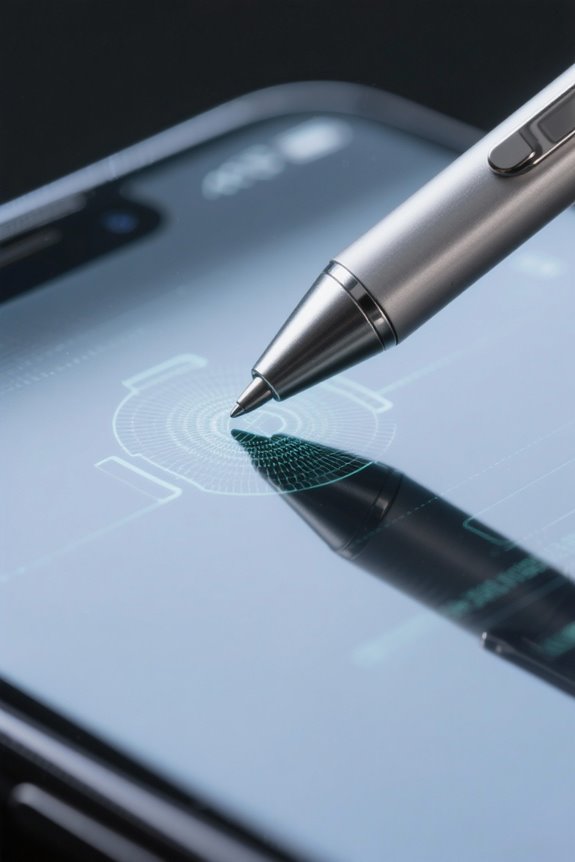
Capacitive styluses operate on a fascinating principle known as capacitance, utilizing conductive materials to simulate the electrical properties of a human finger on capacitive touchscreens. When the stylus tip makes contact with the screen, it alters the electrostatic field, prompting touchscreen devices to register the touch input. This interaction allows users to engage in activities like digital drawing with precision, as various stylus tips, such as those made from metal or conductive foam, offer differing levels of responsiveness. Significantly, capacitive styluses do not require batteries and are compatible with numerous devices, yet they lack advanced features like pressure sensitivity. Consequently, consumers must select the appropriate stylus tip design to match their specific task requirements effectively. Additionally, tool-free installation is a feature often appreciated in accessories like handlebar phone mounts, highlighting the convenience of easy setups in other tech-related products.
Advantages of Capacitive Styluses

While many users appreciate the straightforward functionality of capacitive styluses, they also benefit from several key advantages that enhance their overall usability. To begin with, these styluses are designed to work seamlessly with a variety of touchscreen devices, including smartphones and tablets. They operate without batteries, making them incredibly convenient. The responsive tips, often made of rubber or plastic, provide accuracy for navigation, note-taking, and basic drawing. Additionally, capacitive styluses are typically more affordable than active styluses, as they lack advanced features like pressure sensitivity and palm rejection. This affordability makes them excellent entry-level tools for casual users. Ultimately, capacitive styluses offer a practical solution for everyday tasks while maintaining ease of use and accessibility. Moreover, many users prioritize clarity and easy installation when selecting accessories for their devices, ensuring that their tools are both functional and user-friendly.
Limitations of Capacitive Styluses

Despite their user-friendly design and affordability, capacitive styluses come with notable limitations that can hinder their effectiveness for certain tasks. One major drawback is the lack of pressure sensitivity found in premium pressure-sensitive styluses, which restricts line variation and artistic detail. Additionally, their functionality is limited, primarily acting as touch replacements without features like tilt or rotation detection. Compatibility issues can arise; not all touchscreen devices respond uniformly to capacitive styluses, sometimes leading to frustrating experiences. Furthermore, without palm rejection technology, users may unintentionally mark the screen while resting their hands. Capacitive styluses also require contact with the screen to work, meaning they cannot hover to activate settings, a feature increasingly common in active styluses. Some lanyard designs for capacitive styluses offer adjustable lengths and quick-release mechanisms, enhancing convenience and accessibility during use.
How Active Styluses Work

Active styluses operate using advanced communication technologies that greatly enhance their interaction with touchscreen devices. These styluses utilize internal technology to send detailed input data, allowing for sophisticated functions such as pressure levels and tilt detection. They communicate with devices via Bluetooth or specific protocols like Wacom EMR, ensuring features like hover detection and palm rejection. This capability makes active styluses particularly effective for digital artwork, where nuanced input is vital. Unlike their passive counterparts, active styluses can sense variable pressure levels, allowing artists to achieve dramatic differences in line thickness or shading. However, ideal functionality requires compatibility with specific devices and software support, a fact that potential users should consider before purchasing.
Common Features of Active Styluses
Many of the advanced functions available in active styluses come from their common features, which greatly enhance both usability and creativity. Active styluses are renowned for their impressive pressure sensitivity, often supporting up to 16,000 levels, allowing artists to create nuanced line thicknesses. The inclusion of tilt detection further enriches the experience, mimicking traditional pen behavior for a more natural feel. Additionally, many models feature programmable buttons, enabling users to set personalized shortcuts for tools, streamlining workflows during creative tasks. Hover functions can even detect stylus positioning without screen contact, enhancing interaction efficiency. Remarkably, advanced EMR technology, such as Wacom’s, guarantees seamless communication with devices, minimizing latency and guaranteeing precise input tracking. Many stylus pens are designed for universal compatibility across various brands and devices, which makes them a versatile choice for both professionals and casual users.
Advantages of Active Styluses
Enhancing creativity and productivity, active styluses offer numerous advantages that make them a favored tool among artists and professionals. These devices feature pressure sensitivity, allowing for varying line thickness, which enhances precision in drawing and writing. Many active styluses utilize advanced EMR technology, enabling a seamless experience without the need for charging in some models. This reliability is coupled with features such as tilt detection, providing better control over shading techniques. Programmable buttons further enhance workflow efficiency by allowing users to customize shortcuts for quick access to essential tools. Additionally, hover functions permit the preview of tool effects before contact, amplifying usability in creative tasks. These aspects collectively establish active styluses as essential assets in digital artistry and note-taking. Bluetooth 5.0 technology in active styluses enhances connectivity, ensuring stable performance across compatible devices.
Limitations of Active Styluses
While active styluses provide many advanced features, several limitations can hinder their effectiveness for users. These styluses are often more expensive than passive options, which can be unjustified for casual users. Compatibility issues frequently arise, as many active styluses require specific devices, frustrating those with multiple gadgets. Additionally, dependence on software support may lead to inconsistencies in performance based on app updates. Battery management is another concern; active styluses need recharging, adding complexity compared to their passive counterparts. Moreover, some active styluses exhibit lag or performance issues during high-pressure scenarios, which negatively impacts the user experience, particularly for creative tasks. A notable consideration is that similar to how car phone mounts are affected by extreme weather conditions, active styluses can also face performance challenges due to environmental factors. These factors collectively necessitate careful consideration before investing in an active stylus.
Comparing Capacitive and Active Styluses
When considering stylus options, understanding the differences between capacitive and active styluses is essential, particularly for those engaged in tasks requiring precision. Capacitive styluses are simple tools that work by modifying the screen’s electrical capacitance when the conductive tip touches it. While they are often affordable and compatible with many devices, their capabilities are basic, making them less suitable for digital art. In contrast, active styluses employ advanced stylus technologies that include pressure sensitivity, tilt detection, and programmable buttons, offering precise control for creative professionals. Featuring faster response times, often around 90ms, these active styluses greatly enhance user experience during intricate tasks, though they may require specific device compatibility, limiting their universal appeal compared to their passive counterparts. Some advanced stylus pens come with features like live energy displays and quick charging, enhancing their convenience and usability for creative professionals.
Choosing the Right Stylus for Your Needs
How can one choose the right stylus to meet their specific needs? First, consider the level of precision required for tasks like digital drawing or professional note-taking; an active stylus is highly recommended for enhanced responsiveness and fine control. These styluses often feature advanced capabilities such as pressure sensitivity and tilt functionality, setting them apart from their capacitive counterparts. On the other hand, a capacitive stylus is generally more affordable and easier to use, making it suitable for casual users who only need basic touch input. Assess compatibility too, as active styluses may require specific device models—those with proprietary technologies like Wacom EMR or Apple APC. Ultimately, choose based on your intended use, budget, and technology requirements. In 2026, styluses offer a blend of advanced features tailored for creativity and precision, emphasizing ergonomics, durability, and versatility for different user needs.
Compatibility Considerations
What makes compatibility a crucial factor when selecting a stylus? Capacitive touch screens work with styluses that mimic human conductivity, providing universal compatibility. These styluses generally function across various devices, such as smartphones and tablets. In contrast, active styluses, like the Apple Pencil, often need specific devices. They may use proprietary technology, which can restrict compatibility to certain brands and models. Checking the compatibility list from manufacturers is essential before making a purchase. Additionally, the Universal Stylus Initiative (USI) aims to create standardization in active stylus compatibility, but the actual adoption varies among device manufacturers. This inconsistency can complicate user experiences, as not all active styluses will work with every touchscreen device, leaving some users frustrated. Users often demand full-device coverage in screen protectors, paralleling the need for comprehensive compatibility in stylus technology.
Specific Use Cases for Capacitive Styluses
Capacitive styluses are designed for a variety of everyday uses that enhance user interaction with touchscreen devices. These tools work seamlessly with modern touchscreen technology, making them ideal for tasks like scrolling and maneuvering menus. While some users engage in writing and drawing, capacitive styluses excel in note-taking and annotating documents due to their smooth glide. They are available in different types, often including rubber tips that provide a more natural writing feel. Their lightweight and portable nature makes them a convenient option for casual users, who do not require advanced capabilities or professional pressure sensitivity. Ultimately, capacitive styluses serve everyday needs effectively, appealing to those who seek affordability and straightforward functionality in their touchscreen experiences.
Specific Use Cases for Active Styluses
Active styluses, often regarded as essential tools for digital art and design, bring precision and versatility to touchscreen devices. These active styluses, equipped with EMR technology, are capable of detecting up to 8192 levels of pressure sensitivity. This feature allows artists to create detailed artworks with variable line thickness, enhancing creativity. Furthermore, tilt detection mimics traditional pen angles, providing a natural drawing experience. Programmable buttons enable quick tool shifts, increasing workflow efficiency. Additionally, hover functions detect the stylus’s position above the screen, allowing for shortcut activation in software programs. Since they require pairing and specific software support, active styluses are ideal for high-end drawing tablets, streamlining both digital artwork and note-taking processes for professional users.
Emerging Trends in Stylus Technology
Several exciting advancements are shaping the future of stylus technology, making it an increasingly pivotal tool for digital creators. Innovations in pressure sensitivity now allow styluses to boast up to 16,000 levels of sensitivity, enhancing precision in digital artistry. The Universal Stylus Initiative (USI) is establishing standards for cross-device compatibility, ensuring that features like tilt detection work seamlessly across brands. In addition, Bluetooth connectivity is becoming standard, enabling customizable settings and efficient workflow integration. Manufacturers are prioritizing ergonomic designs, incorporating skin-touch coatings for better grip and durability. As mobile device usage rises, the demand for high-responsiveness and minimal lag in stylus technology increases, making these advancements essential for tasks like intricate drawing and effective note-taking.
Frequently Asked Questions
What Is the Difference Between Active and Capacitive Stylus?
Active styluses offer enhanced drawing precision through pressure sensitivity factors, while capacitive styluses face stylus compatibility issues. User experience feedback often highlights significant device performance comparison, revealing distinct advantages for creative applications with active styluses.
Is an Active Stylus Worth It?
An active stylus is generally worth the investment for those valuing precision and customizable features. Its advantages include enhanced user experience, battery life, and compatibility, though initial costs may be higher compared to passive styluses.
What Is a Capacitive Stylus?
Ah, the capacitive stylus—an artist’s dream, if that dream involves basic drawing. With marvelously simple stylus design features, it boasts capacitive touch sensitivity, user versatility comparison, cost efficiency analysis, and, blissfully, no battery life concerns.
What Is the Best Type of Stylus Pen?
Determining the best stylus pen involves analyzing user preferences, comparing stylus brands for mobile device compatibility, weighing battery life impact, and considering tips for drawing techniques, ensuring an informed choice tailored to individual needs.