As an Amazon Associate, we earn from qualifying purchases. Some links on this site are affiliate links at no extra cost to you. Our recommendations are based on thorough research and editorial judgment.

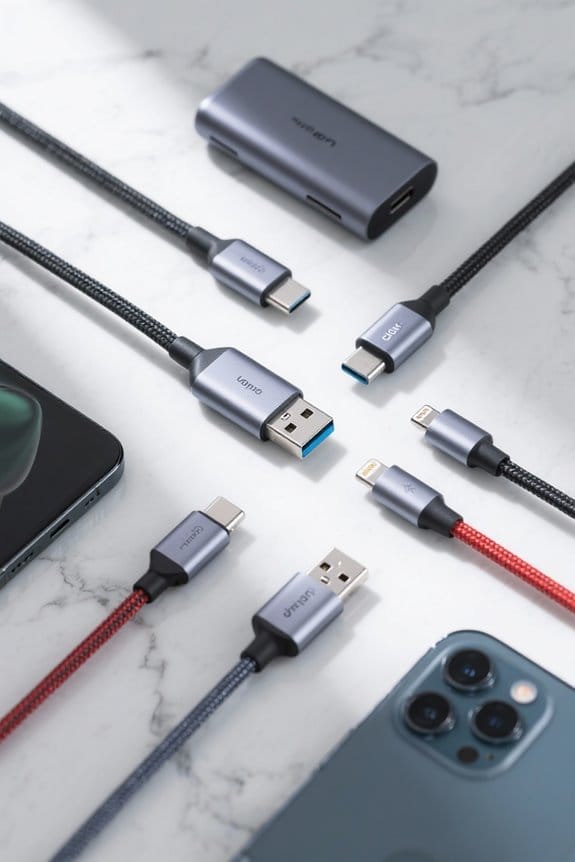
USB-C Cable Standards: Understanding Data and Power Ratings

USB-C cables feature a 24-pin design that supports various data transfer rates and power delivery capabilities. Significantly, USB 2.0 offers speeds of 480 Mbps, while USB 3.1 Gen 2 and USB4 reach up to 10 Gbps and 40 Gbps, respectively. Power delivery has advanced to a maximum of 240W. It’s essential to select appropriate cables. EMarked variants communicate specifications for efficient charging. Understanding these standards guarantees safety and performance. Further insights await regarding compliance and future technologies.
Key Takeaways
- USB-C cables support varying data transfer rates: USB 2.0 (480 Mbps), USB 3.1 Gen 2 (10 Gbps), and USB4 (up to 40 Gbps).
- Power delivery capabilities have expanded from 60W to a maximum of 240W at 48V and 5A with recent standards.
- Cables may be categorized as charging-only or full-featured, affecting their data transfer and power delivery capabilities.
- E-Marker chips in cables help communicate specifications to devices, ensuring safer and more efficient power delivery.
- Compliance with USB-IF standards is crucial to prevent device damage and ensure optimal performance in data transfer and power delivery.
Overview of USB-C Cable Standards
You may be interested


USB-C cable standards represent a considerable advancement in connectivity technology, providing users with versatile solutions for power delivery and data transfer. These cables feature a 24-pin connector, supporting different types of USB-C functionalities. For instance, some are designed as charging cables, while others facilitate high-speed data transfer alongside power delivery. The maximum power capacity has seen remarkable evolution, with USB standards now allowing up to 240W through Extended Power Range (EPR) specifications. Data transfer rates also vary considerably; USB 2.0 reaches 480 Mbps, USB 3.1 Gen 2 supports up to 10 Gbps, and USB4 can achieve stunning speeds of 40 Gbps. Electronically marked (E-Marker) chips enhance compatibility, ensuring users understand maximum voltage and current capabilities effectively. It’s important for users to consider fast charging protocols when selecting USB-C cables to ensure compatibility and efficient charging with modern devices.
Understanding Data Transfer Rates

When maneuvering the landscape of data transfer rates, clarity is essential. USB-C cables vary considerably in speed potential. For instance, USB 2.0 Type-C supports a maximum data transfer speed of 480 Mbps, sufficient for basic tasks. In contrast, USB 3.1 Gen 2 can achieve up to 10 Gbps, making it excellent for more demanding applications. Thunderbolt 3 elevates this capability further, allowing for data rates of up to 40 Gbps, ideal for video editing and large file transfers. Similarly, USB4 retains that 40 Gbps potential while enabling power delivery and compatibility with multiple data protocols. Understanding these distinctions helps consumers make informed decisions about their USB-C investments, ensuring peak performance now and in the future. It’s important to consider temperature resistance when selecting equipment to ensure long-term durability in various environmental conditions.
Power Delivery Capabilities

Charging capabilities in the domain of USB-C cables represent a significant advancement in technology. Initially, USB cables supported a maximum power delivery of 60W at 20V and 3A. However, newer standards allow for up to 240W at 48V and 5A through USB Power Delivery (USB PD). E-Marker chips are essential as they relay power delivery capabilities, helping devices determine ideal voltage and current for efficient charging. The Extended Power Range (EPR) plays an important role in enabling USB-C to charge larger devices, like laptops and monitors, effectively. Not all USB-C cables support the same power; charging-only cables are limited, making it imperative to verify compatibility and ratings. Mismatches can lead to inefficient charging or potential device damage. Additionally, high wattage outputs in chargers, like the Anker USB C Nano II, provide up to 65W, making them suitable for high-powered devices such as laptops, further enhancing the charging landscape.
Variations in USB-C Cables

Variations in the types of USB-C cables are more pronounced than many users realize. These cables differ in capabilities considerably; some are designed solely for charging. Charging-only cables generally contain fewer wires, limiting their functionalities. In contrast, full-featured data cables support various data transfer speeds, with USB 2.0 providing up to 480 Mbps and USB 3.1 Gen 2 reaching 10 Gbps. High-speed data requires additional wiring that charging-only options lack. Additionally, cables that comply with the Power Delivery Specification can deliver up to 240W. Remarkably, eMarked cables communicate their advanced capabilities to devices, ensuring safe power delivery. Users should carefully consider these variations to select the right USB-C cable for their needs. Many MFi certified cables are noted for their compatibility and fast charging capabilities, making them a reliable option for Apple devices.
Electronically Marked (eMarked) Cables

Although many users may overlook their significance, electronically marked (eMarked) USB-C cables play an important role in ensuring safe and efficient power delivery. These cables contain an eMark chip that communicates essential cable specifications, including maximum voltage and current ratings, along with vendor information. Unlike non-eMarked cables, which are typically limited to 60W, eMarked cables can support much higher power delivery outputs, often reaching up to 240W (48V at 5A). The eMark chip enhances compatibility by using the USB Power Delivery protocol to relay information about the cable’s capabilities, which is vital for selecting high-performance cables. Ensuring devices operate at their intended data transfer rates and power levels helps maintain efficiency and safety across various applications. USB-IF certification ensures reliability and safety against overheating, further supporting the safe use of eMarked cables.
Differences Between Charging and Data Cables
USB-C cables serve distinct purposes based on their design features, which can greatly affect performance and compatibility. Charging cables typically contain only two wires, focusing solely on power delivery, while data cables have four wires to support both charging and data transfer. This difference often leads to compatibility issues when devices require data exchange, where a charging cable won’t suffice. Data cables meet various USB-C standards, enabling impressive transfer speeds—up to 480 Mbps for USB 2.0, 10 Gbps for USB 3.1 Gen 2, and even 40 Gbps with USB4. E-marked cables enhance performance, supporting higher power delivery ratings beyond 60W, making them vital for ideal device functionality. Understanding these distinctions helps users choose the right cable for their needs. When selecting adapters or cables, it is important to consider USB OTG functionality, which allows direct connection to peripherals like keyboards and flash drives, enhancing device versatility.
Types of Data Transfer Supported
Various types of data transfer supported by USB-C cables can greatly influence the performance of connected devices. For instance, USB 2.0 cables achieve data transfer speeds of 480 Mbps, making them suitable for basic tasks. In contrast, USB 3.2 can reach speeds up to 20 Gbps, enhancing functionality for high-speed needs. Additionally, USB 3.1 variations offer rates of 5 Gbps and 10 Gbps. Thunderbolt 3, utilizing USB-C, pushes the envelope further, enabling transfers up to 40 Gbps while facilitating video output. However, charging-only cables typically fall short, only providing USB 2.0 speeds, rendering them inadequate for rapid data exchange. To maximize performance, one should opt for full-featured cables that support all necessary data lines, ensuring exceptional data transfer capabilities. Additionally, the compatibility and fast charging support of USB-C cables enable users to connect a wide range of devices, ensuring both quick charging and efficient data transfer.
Cable Construction and Performance
Quality in cable construction directly impacts performance, signifying an essential aspect of USB-C technology. USB-C cables vary in design, influencing their data transfer speeds and power delivery capabilities. For instance, charging-only cables typically include two wires—V+ and V-, whereas data cables integrate four wires to support both data transfer and power. eMarked cables feature a chip that communicates capabilities, ensuring compliance with modern USB standards and peak performance, unlike non-eMarked options that often underperform. Newer USB standards enable power delivery up to 240W, utilizing voltages reaching 48V with currents of 5A. Consequently, higher-quality cables can achieve extraordinary data speeds; USB 3.2 and USB4, for example, can reach up to 20 and 40 Gbps, respectively. Clip-on cooling fans, often powered by USB-C, showcase battery life variability due to differences in design and build quality.
Identifying USB-C Cable Types
When it comes to identifying USB-C cable types, understanding their classifications is essential for peak device performance. USB-C cables are primarily categorized into data cables and charging cables. Charging cables deliver power without supporting data transfer capabilities. Conversely, data cables contain four wires, ensuring proper data transfer and power delivery. When selecting a cable, users should look for markings like “USB 3.0” or “USB 3.1,” which denote specific data transfer speeds and power delivery options. Significantly, eMarked cables equipped with E-Marker chips communicate cable capabilities to connected devices using the USB Power Delivery protocol. For instance, USB 3.1 Gen 2 supports data transfer rates up to 10 Gbps, making it suitable for high-performance applications. Additionally, USB-C headphone adapters often include high-fidelity DAC chips that enhance audio experiences with superior sound quality and reduced distortion, providing a more immersive listening experience.
Importance of Cable Length
The length of a USB-C cable plays an essential role in determining its effectiveness for data transfer and power delivery. Shorter cables typically offer better performance, allowing for faster data rates and enhanced charging capabilities. According to the USB-C standard, cables up to 10 feet (3 meters) are usually reliable for data transfer and can support up to 60W power delivery. However, cables longer than 6.6 feet (2 meters) may need active cable technology to sustain high-speed data transfer and adequate power delivery. Excessive lengths can lead to voltage drop and signal degradation, greatly affecting charging speed and data transmission efficiency. As a result, selecting the appropriate cable length, balanced with reach and performance needs, is vital for peak results. It is also important to ensure the USB-C port supports DisplayPort Alt Mode for compatibility with HDMI displays, which is crucial for achieving the desired performance in media streaming and gaming setups.
Selecting the Right USB-C Cable
Selecting the right USB-C cable involves understanding various specifications and determining the most suitable options for individual needs. First, check for eMarker chips, as they confirm compliance with power delivery standards. Look for cables labeled with data transfer specifications like “USB 3.1” or “Thunderbolt 3,” offering speeds from 5 Gbps to 40 Gbps. Power capacity also varies; some cables support up to 240W, which is essential for fast charging. Additionally, consider your intended use: charging-only cables focus on power delivery, while data cables provide both charging and data transfers. Finally, verify that any chosen cable meets USB-IF certification to guarantee compatibility and performance, safeguarding against slow data transfer or potential device damage.
Risks of Using Non-Compliant Cables
While it may seem convenient to use any available USB-C cable, significant risks accompany non-compliant options. Non-compliant cables often provide insufficient power delivery, leading to slow charging or, in some cases, no charging at all. Mismatched cables can cause overheating, damaging devices or even creating fire hazards. Moreover, many non-eMarked cables only support up to 60W, which is dangerous for high-power devices. Additionally, low-quality or counterfeit cables frequently fail to deliver the expected data transfer speeds, resulting in dropped connections or corrupted data. Misleading labels make it essential to verify compliance with USB-IF standards for safety and compatibility. Prioritizing well-regulated cables guarantees peak performance and safeguards electronic investments against potential hazards.
Recommended USB-C Cables for Different Purposes
When considering the right USB-C cable for various tasks, it is essential to evaluate each cable’s specifications to guarantee superior performance. For data transfer speeds up to 480 Mbps and robust power delivery, the Anker 765 USB-C to USB-C cable is highly recommended. It supports charging at 140W and boasts a lifespan of 35,000 bends. Alternatively, the Anker 643 cable, with similar features at 100W and a design good for 25,000 bends, is another excellent option. For high-performance devices, look for full-featured USB-C cables capable of delivering up to 240W and data transfer rates as high as 40Gbps. Always seek USB-IF certification for compliance, and avoid charging-only cables if data transfer is necessary.
Future Developments in USB-C Technology
How will future developments in USB-C technology shape the landscape of connectivity? The upcoming USB4 standard promises data transfer speeds of up to 120Gbps, revolutionizing how users connect devices. This enhancement will support high-speed data transfer for applications, including video output. In addition, USB4’s compatibility with Thunderbolt 3 broadens its potential usage across an array of devices, fostering interoperability. Additionally, advancements in power delivery may allow devices to draw up to 240W at 48V, enabling efficient charging for larger gadgets like laptops. As USB-C gradually replaces legacy connectors, it simplifies connectivity, reducing cable clutter. Furthermore, improvements for data integrity and latency will cater to high-bandwidth activities, such as gaming and 8K video streaming, ensuring a seamless user experience.
Frequently Asked Questions
Can I Use a USB-C Cable for Video Output?
Yes, USB-C cables can support video output capabilities through protocols like DisplayPort Alt mode and HDMI over USB-C, enabling high video resolution support and compatibility with monitors, making them suitable for gaming and other video applications.
What Devices Typically Utilize USB-C Connections?
USB-C connections are commonly utilized by a variety of devices including smartphones, laptops, tablets, gaming consoles, cameras, and various accessories. Additionally, many audio devices now incorporate USB-C for enhanced connectivity and streamlined design.
Are All USB-C Cables Compatible With Each Other?
Like puzzle pieces, USB-C cables are not universally compatible. Variations in cable design, charging standards, and data transfer capabilities mean device requirements dictate functionality, with connector shapes and power delivery influencing overall compatibility across different devices.
How Do I Spot Counterfeit USB-C Cables?
Identifying fake cables involves checking for signs of counterfeit, such as inconsistent labeling accuracy and insufficient thickness. It’s essential to purchase from verified manufacturer sources and test cable performance, prioritizing the importance of certification for safety.
Will Using a Longer USB-C Cable Affect Performance?
Using a longer USB-C cable is like stretched elastic; it may experience signal loss affecting performance. Factors such as cable length, material quality, and usage scenarios impact data transfer and power delivery efficiency greatly.


